Espresso Pro
TimelinePro
What was added, changed and deleted since a date, on one disk or all of them. For “what did I do to that folder last week?”
Pro · The Timeline is part of Espresso Pro.
Open Window › Timeline (⌥⌘T), or right-click a disk in the sidebar › Show Timeline.
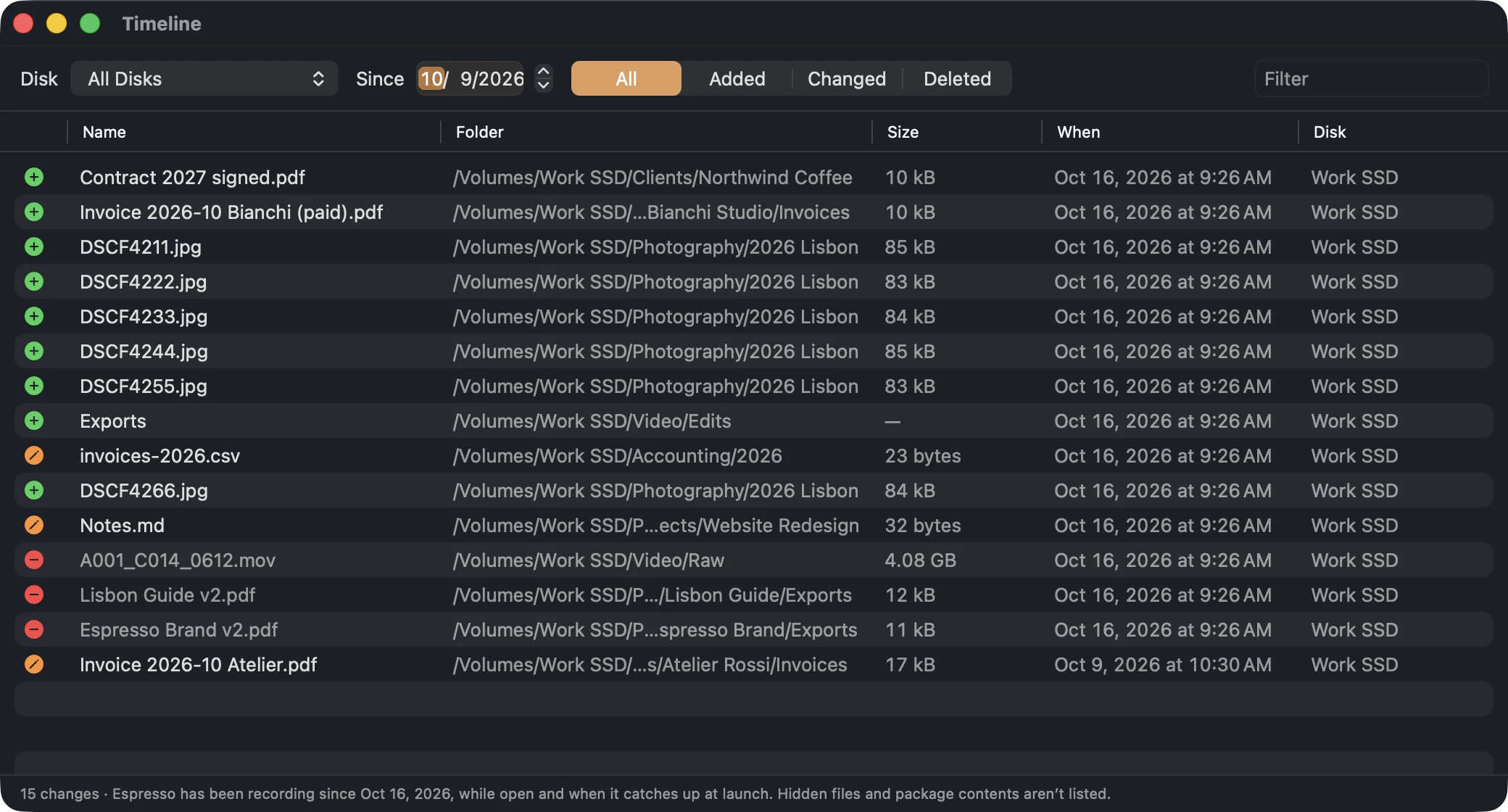
- Disk: one disk, or All Disks.
- Since: the date to start from.
- All, Added, Changed, Deleted: which changes to list.
- Filter: narrow the list by name.
Double-click an item to show it in Finder.
What’s recorded
Espresso records changes while it’s open, and when it catches up at launch with what changed
while it was closed. System folders, Library folders, caches, hidden files and the contents of
packages are left out, so the list shows what you did.
It starts recording the first time you use a version of Espresso with the Timeline, so it can’t show changes from before then.