Guide
Extended details
Dimensions, durations and dates taken in Espresso Free; camera, lens, codecs, music tags and more with Pro. Searchable, sortable, and kept for disks in a drawer.
After indexing, Espresso slowly reads extra details in the background, for the kinds of files you choose in Settings › Metadata. They’re kept for offline disks too.
Espresso asks Spotlight first, then reads the file’s own headers (EXIF, IPTC, XMP, QuickTime, ID3) for anything Spotlight doesn’t keep, like the lens of iPhone photos or the camera and frame rate of a video, and for disks Spotlight doesn’t index.
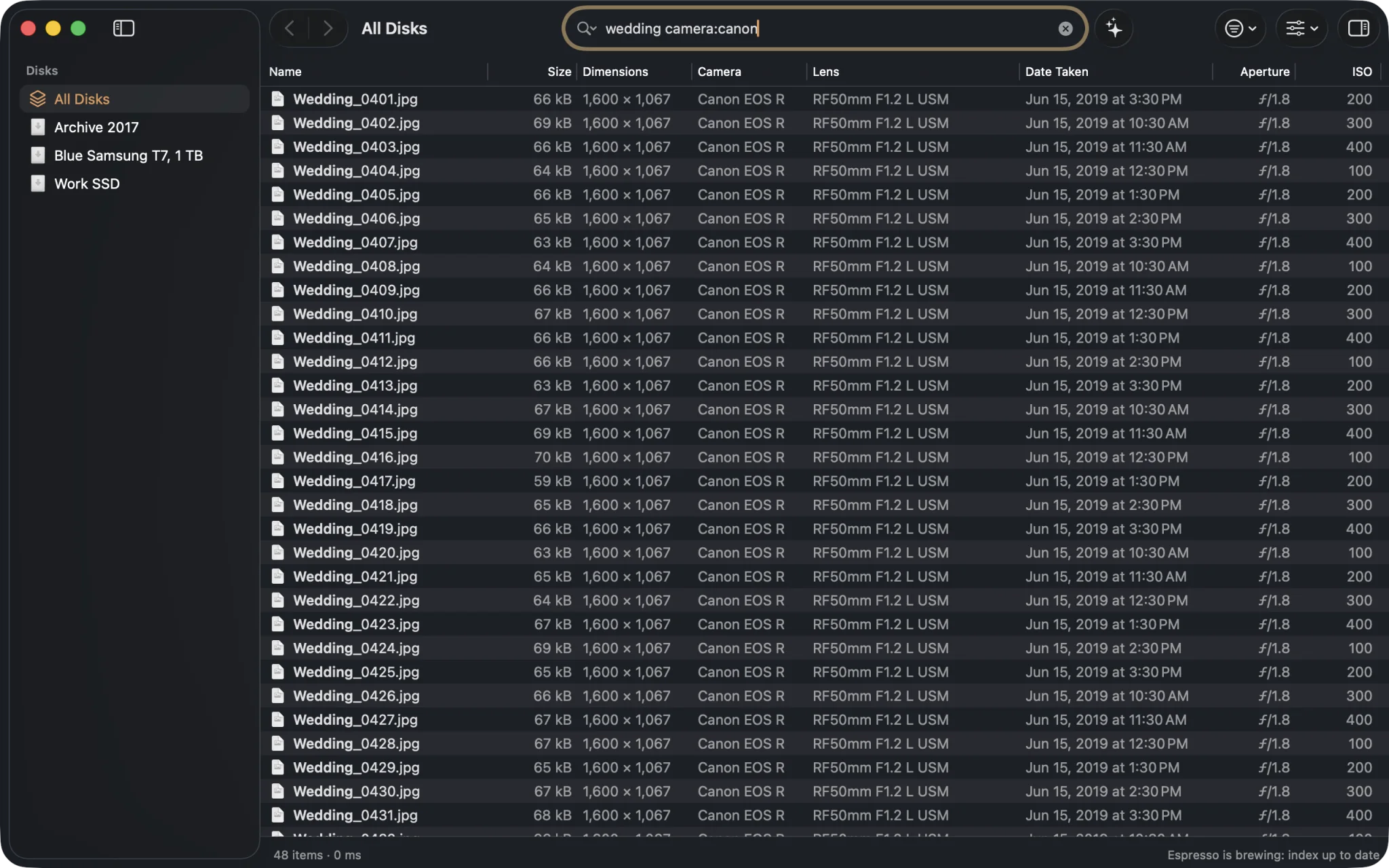
wedding camera:canon, with the Camera, Lens, Date Taken, Aperture and ISO columns turned on.In Espresso Free
| Detail | Search | Example |
|---|---|---|
| Image dimensions | width:, height: | width:>3000, height:1080 |
| Duration of audio and video | duration: | duration:>5m, duration:1:30 |
| Pages of documents | pages: | pages:>100 |
| Date a photo or video was taken | taken: | taken:2024, taken:<30d |
| Finder tags | tag:, tagged: | tag:Red, tagged: |
Each of them can also be a column: right-click any column header.
With Espresso Pro
Everything else Espresso reads becomes searchable, sortable and available as a column, in Get Info and in CSV exports.
- Photos: camera and lens (
camera:iphone,lens:50mm); exposure (iso:>1600,aperture:<=2.8,shutter:<1/500,focal:24,flash:); location (gps:,place:roma,altitude:>2000); rating, keywords, description and copyright (rating:>=4,keyword:mare). - Videos: camera, location, codecs, frame rate and bit rate (
codec:hevc,fps:>=60,bitrate:>20mbps). - Music: artist, album, genre, composer, year, sample rate and channels (
author:,album:,genre:jazz,year:1990..1999,samplerate:96k). - Documents: author, title, keywords and the app that made them (
software:word).
Every function, with its aliases and accepted values, is in Search syntax › Extended details.
Sorting by a detail
Click a detail’s column header to sort by it, across every disk: the widest photos, the longest videos, the highest ISO, the best-rated shots. Items without that detail always come last.
Choosing what’s read
In Settings › Metadata you choose the kinds of files whose details Espresso reads: images, audio, video, documents and Finder tags. Turning a kind off stops reading it for new files; details already read are kept.
Reading the words inside documents, and what photos show, is a separate switch: Inside files.